Unfold
your day.
Daybook AI is your private AI calendar — a personal chief of staff that happens to have an excellent calendar. And the best calendar on any foldable.

Free. No account. The AI is already inside.
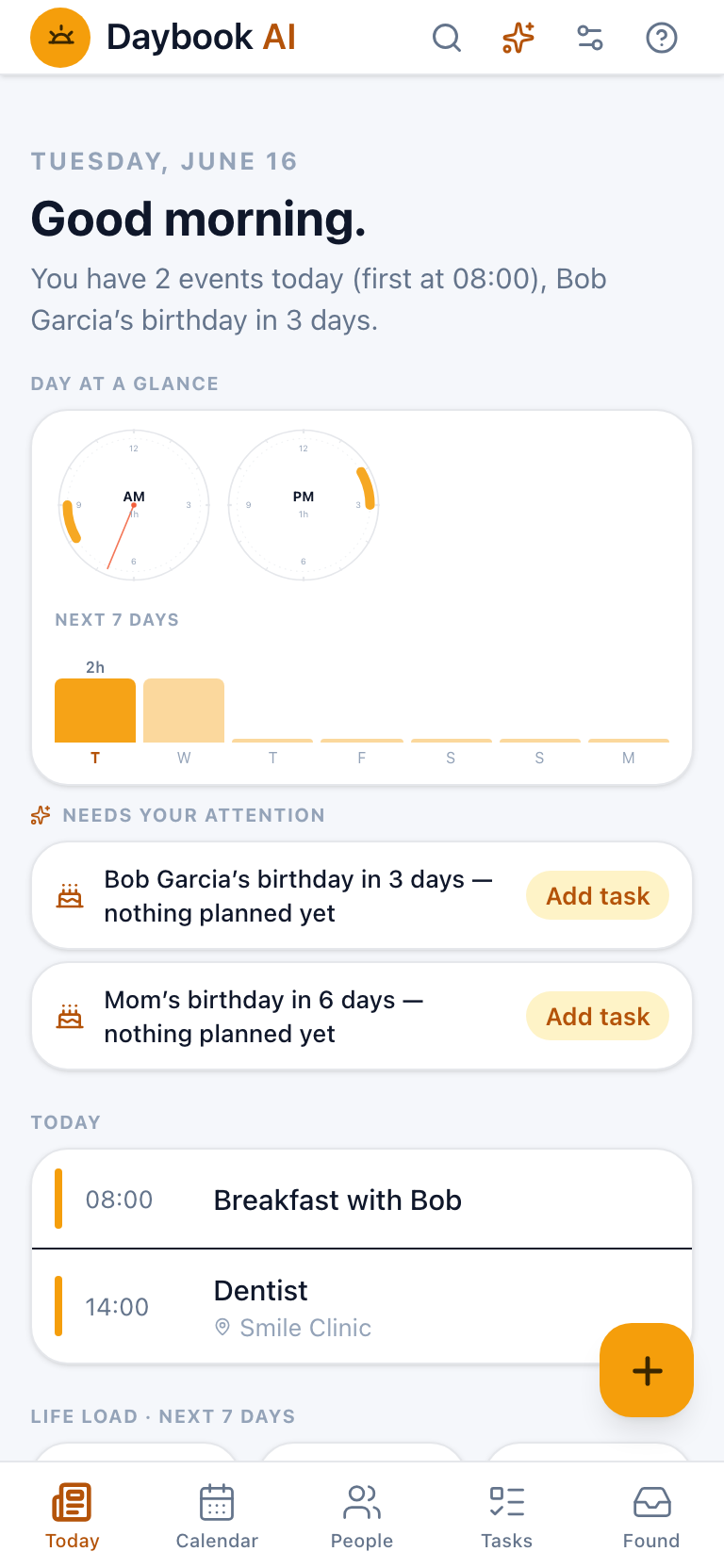
Most calendars tell you what's on.
Daybook tells you what needs your attention.
It does the noticing for you — so the day comes to you already sorted.
Fold for a glance. Unfold for command.
Closed, Daybook is a clean, one-handed phone calendar. Open it and the same day unfolds into a two-pane command center — your calendar beside your day's intelligence. It reflows the instant you fold or unfold, with nothing to set up.
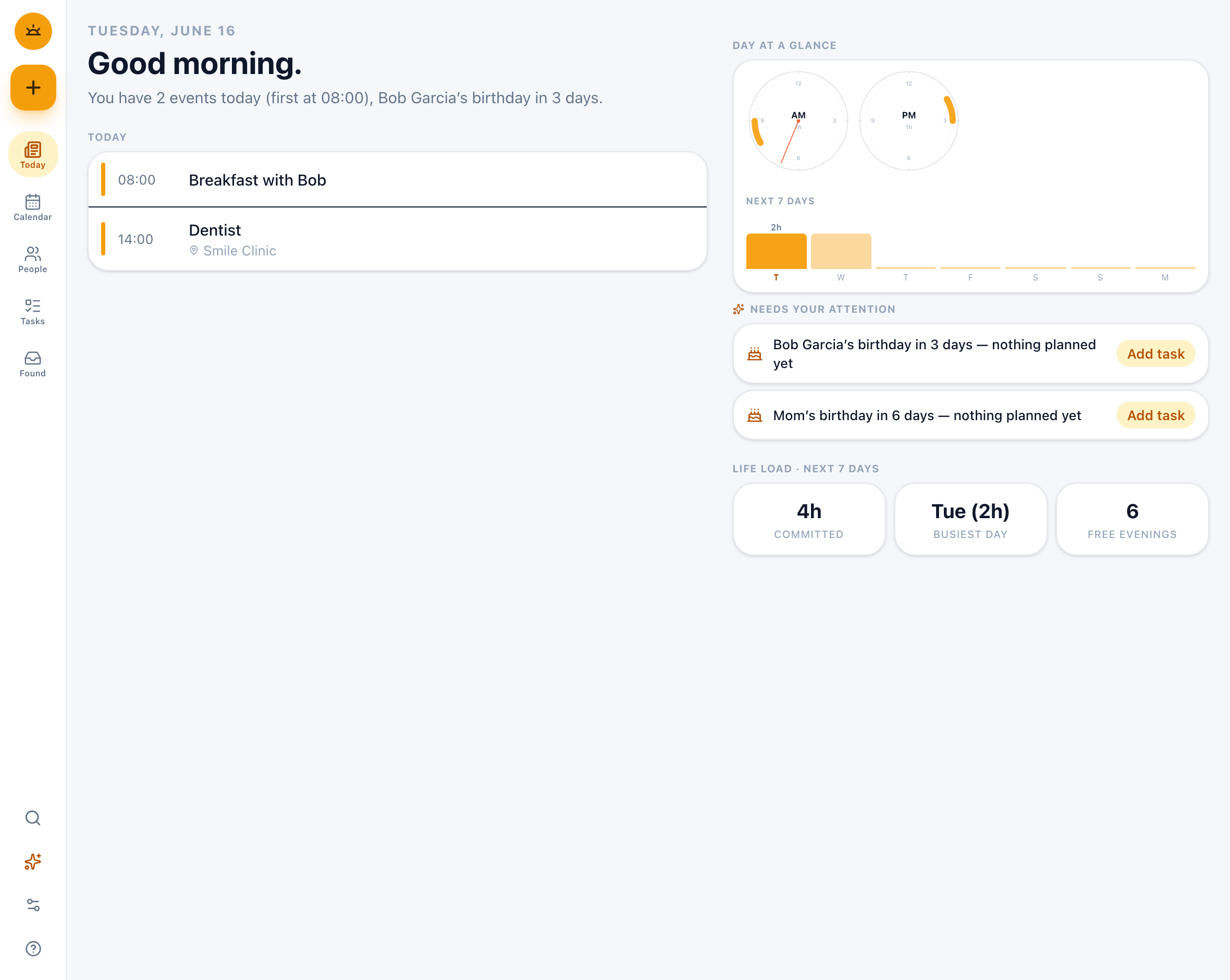
The cover screen stays a fast, thumb-friendly phone layout. The inner screen becomes a true two-pane view — timeline on one side, your day-at-a-glance, attention nudges and life-load on the other. It scales right up to tablets and desktop (Samsung DeX) too.
Free AI that runs on your phone.
The built-in assistant works with no account, no API key, no cost — even offline. Want a frontier model? Bring your own cloud key; requests go straight from your phone to your provider. Every AI-written line is labeled with where it ran.
A morning brief, written on-device
Each morning Daybook reads your day and tells you what matters — generated by the AI on your own silicon.
on-deviceType it like you say it
"Lunch with Bob tomorrow 12pm." Daybook previews exactly what will change, applies it only when you confirm, and every change can be undone.
on-deviceScreenshot → event
Someone proposed a time in a chat? Scan the screenshot. The date is found on your device, you pick the slot, then confirm — the image never leaves your phone.
on-deviceBring your own frontier model
Prefer a cloud model for the heavy lifting? Add your own key — requests go phone→provider directly, and the text is marked cloud ☁ vs on-device 🔒.
your key, optionalEvery view. Every calendar you already have.
Daybook works directly on the calendars already on your device — nothing to migrate, nothing new to sign into.
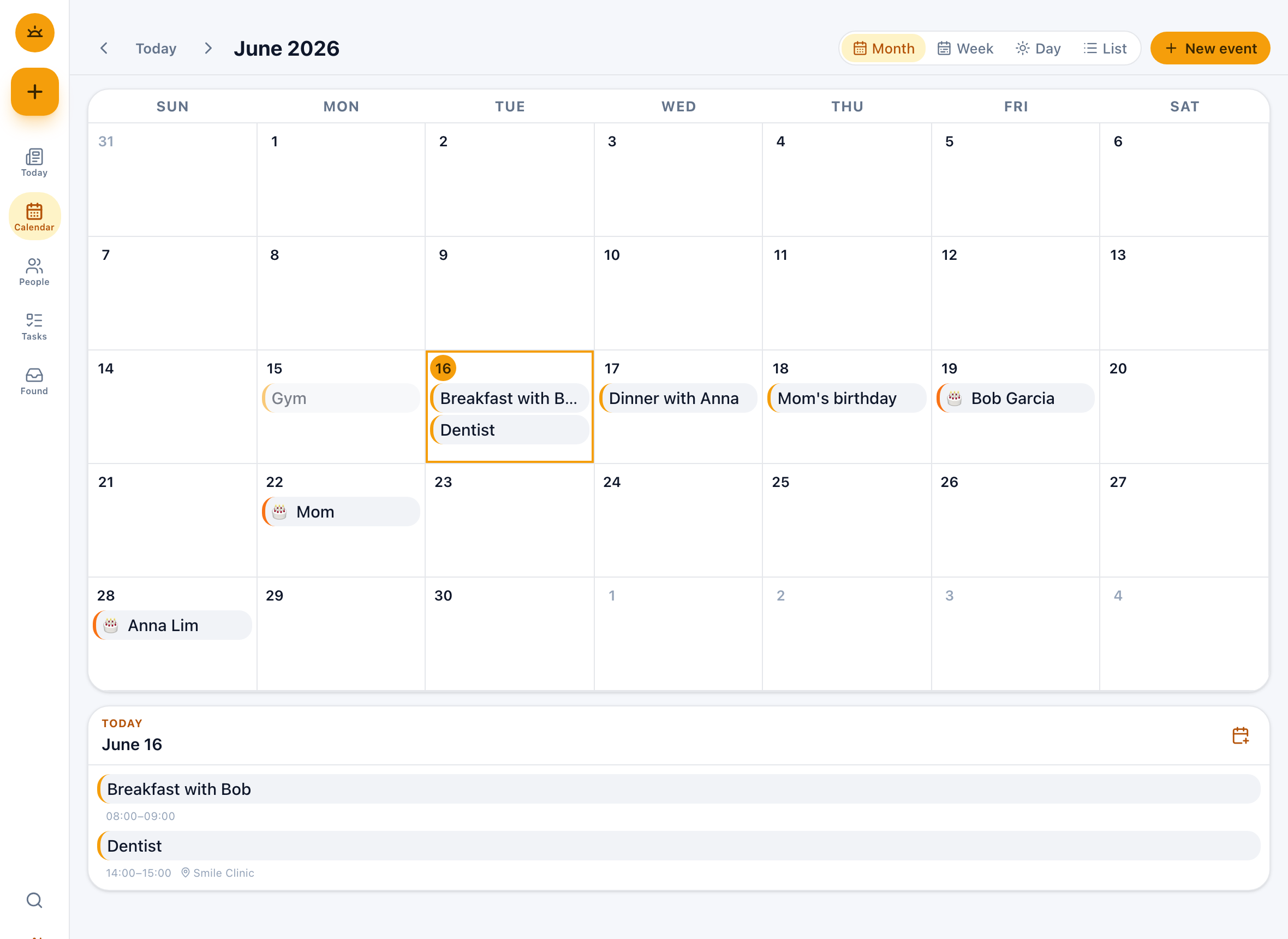
- Month, week, day and list views, with drag-to-reschedule
- Google, Samsung, Outlook or local calendars — already on your phone
- Every change is preview → confirm → undo, so nothing happens by surprise
- Birthdays and anniversaries show up automatically
A gentle CRM — and a quiet ledger.
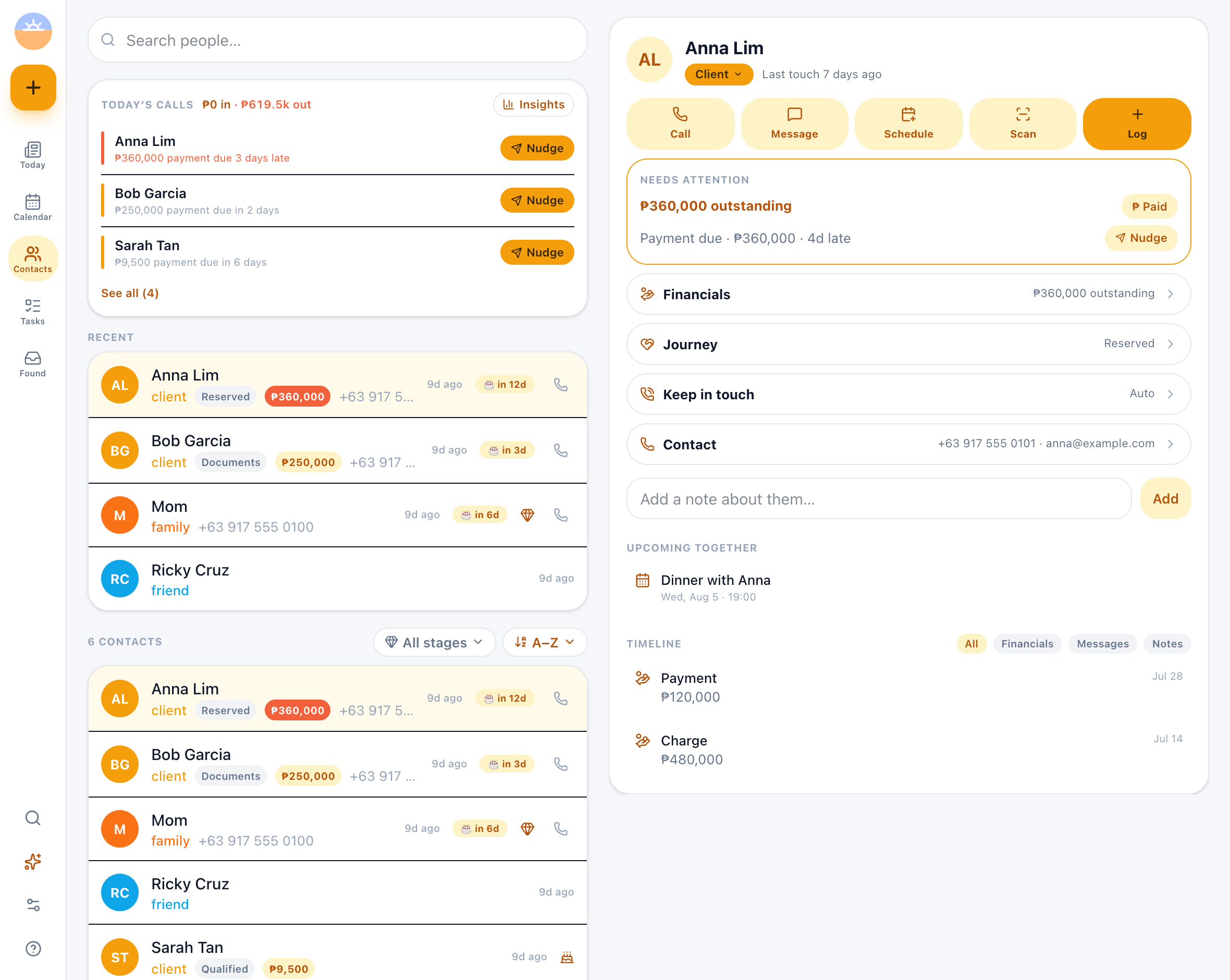
Not a data-entry chore. Daybook builds a memory of the people you care about from the contacts already on your phone — and, for the ones you do business with, it quietly keeps track of what's still outstanding.
- One “Today's calls” list — money late, money due, deals gone quiet, people you've drifted from, worst first
- What a client still owes, right on their row — and a Nudge that writes the message for you
- Sort by who owes most or what's due soonest; filter by where they've reached in your pipeline
- Every person keeps a timeline of calls, notes, payments and shared events
- Relationship circles and your own cadence — so family gets remembered too, not just clients
Your morning, briefed before you ask.
Daybook surfaces what's about to need you — quietly, as nudges, never alarms.
- Tight turnarounds — when back-to-back events sit at different places
- Birthdays coming up with nothing planned yet
- People you've drifted from, by your own cadence
- Tasks due and unresolved promises, surfaced early
The selling point isn't a feature. It's that nothing leaves your phone.
No account. No server. No analytics. The default install sends nothing, anywhere. Your data stays in your device's own calendar and contacts stores; any keys you add live in the Android Keystore.
No server, ever
The whole app is bundled into the install and works with zero backend. There's nothing to breach because there's nothing there.
AI on your silicon
Intelligence runs on-device by default. Add your own cloud key and requests go straight from your phone to your provider — never through us.
No analytics, no ads
No tracking SDKs, no ad networks, no data sales. We never see your data at all — including on this website.
On iPhone, iPad & Android.
Frequently asked
Is the AI really free?
Do I need an account?
Does it work offline?
Which calendars does it use?
Is my data really private?
Is it on iPhone and iPad?

Unfold your day.
One download. No account. The AI is already inside.